Features · Admissions
Admit for two years,
in one go.
Every student’s details, batches and fees in one place.
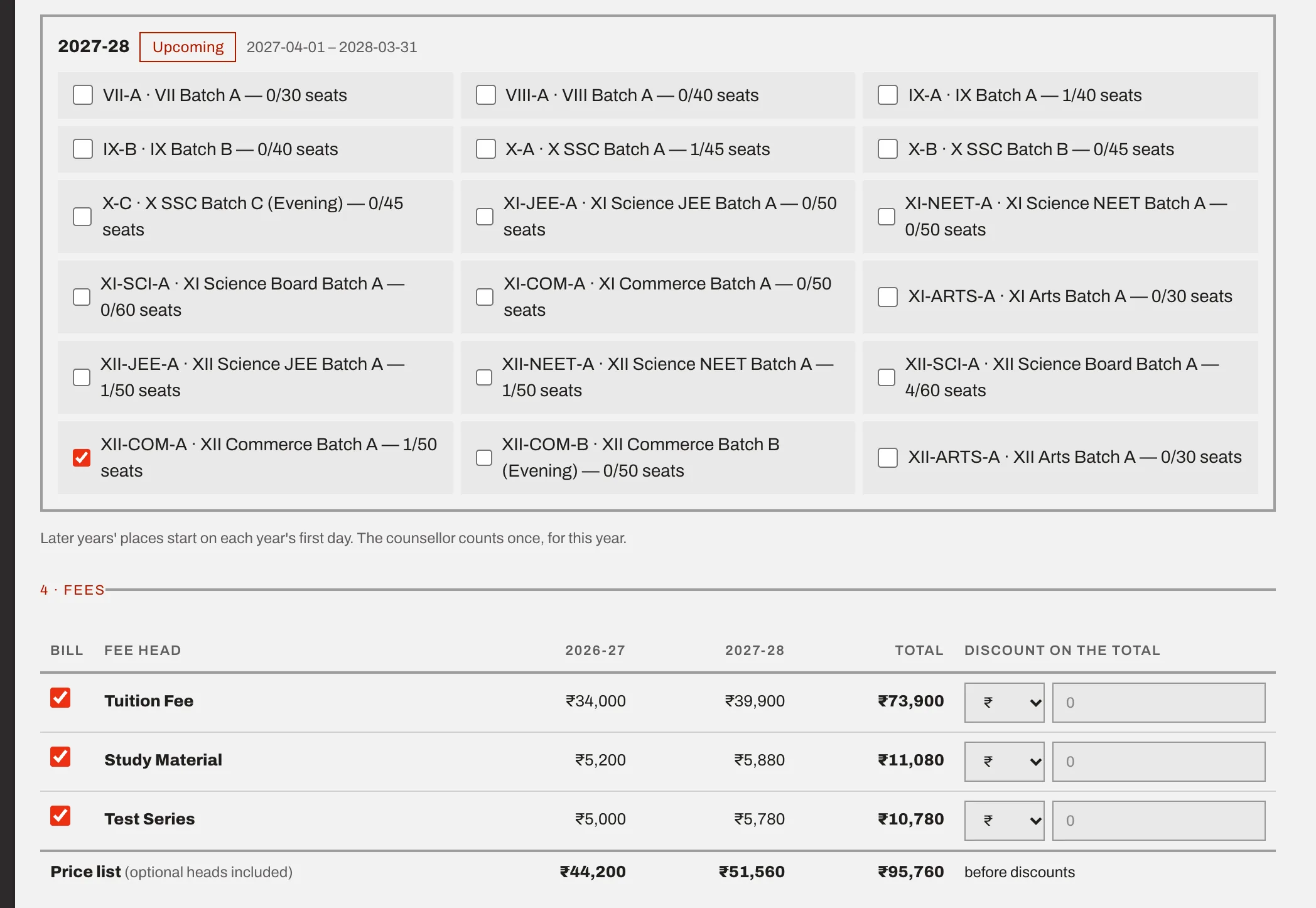
Admit a student, put them in their batches and set up their fees on one page. For a two-year course, the next year’s batch and its fees are set up at the same time.
-
Two years, or up to six, in one admission
Choose how many years the student is joining for. Each later year’s batch is ticked for you, XI-COM-A to XII-COM-A, and a missing year or batch can be created from the same page.
- Each year’s fees from that year’s fee structure, estimated until it has one
- The profile shows every year: charged, received and due
- Admit for more years later, or end early
-
Fees, discount and the first payment, at admission
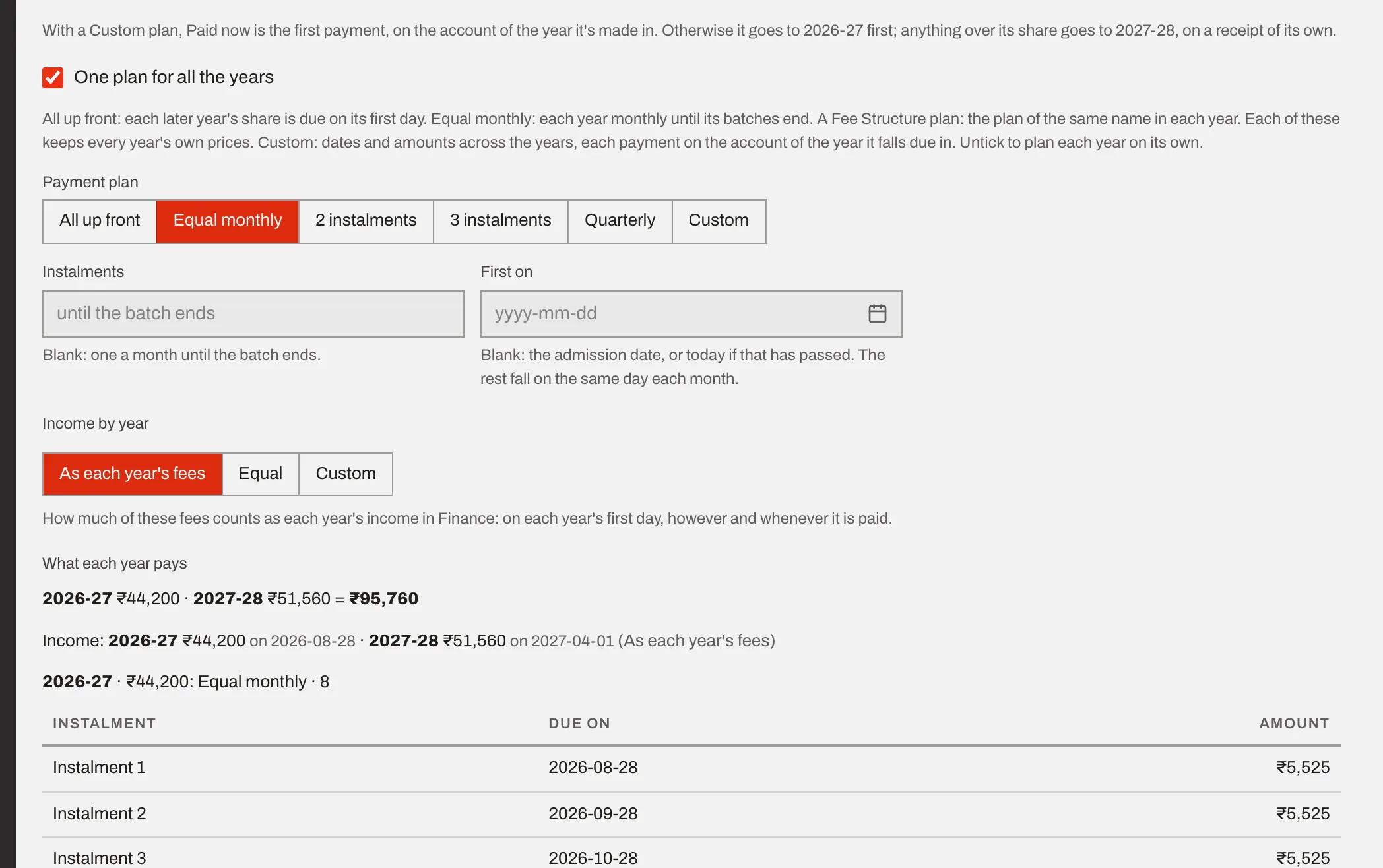
The fee step shows each fee head’s price for every year, the discount in rupees or per cent, and what the parent pays in each year. Money paid now gets its receipt at once, and the rest becomes the payment plan.
- One plan across the years, or a plan for each year
- Equal monthly, your own instalment plans, or the dates and amounts you agree
- A likely duplicate student is asked about before saving
-
Students in from Excel
Bring your students in from an Excel sheet, with each row checked before anything is saved, and the fees already owed brought in as opening balances, so you can start in the middle of a year.
- What is wrong in a row is said, row by row
- What each student paid before you started, as an opening balance

Also in Admissions
- Every student’s details: name, gender, date of birth, mobile, email, address, school, photo and a scan of the form
- Two parents or guardians at admission, with relation, mobile and email; receipts go to the primary one
- One batch or two at once, such as a board batch and a JEE batch, with the seats left shown
- One click admits the student, their batches and their fee account
- A printable profile with signature lines
- A change of batch, with the fees following
- ID cards with a barcode, ten to an A4 sheet
- A student taken off a batch with one click, and Undo
See it on a class like yours.
Book a free demo or ask for pricing: tell us about your institute and we’ll call you. The demo runs on a sample Mumbai class, so you see every screen with realistic data.
Prefer to talk? +91 97028 26385 · WhatsApp us · anandgangan@