Features · Timetable & lectures
The week as planned,
and as it happened.
Clash checks, substitutes and every lecture logged.
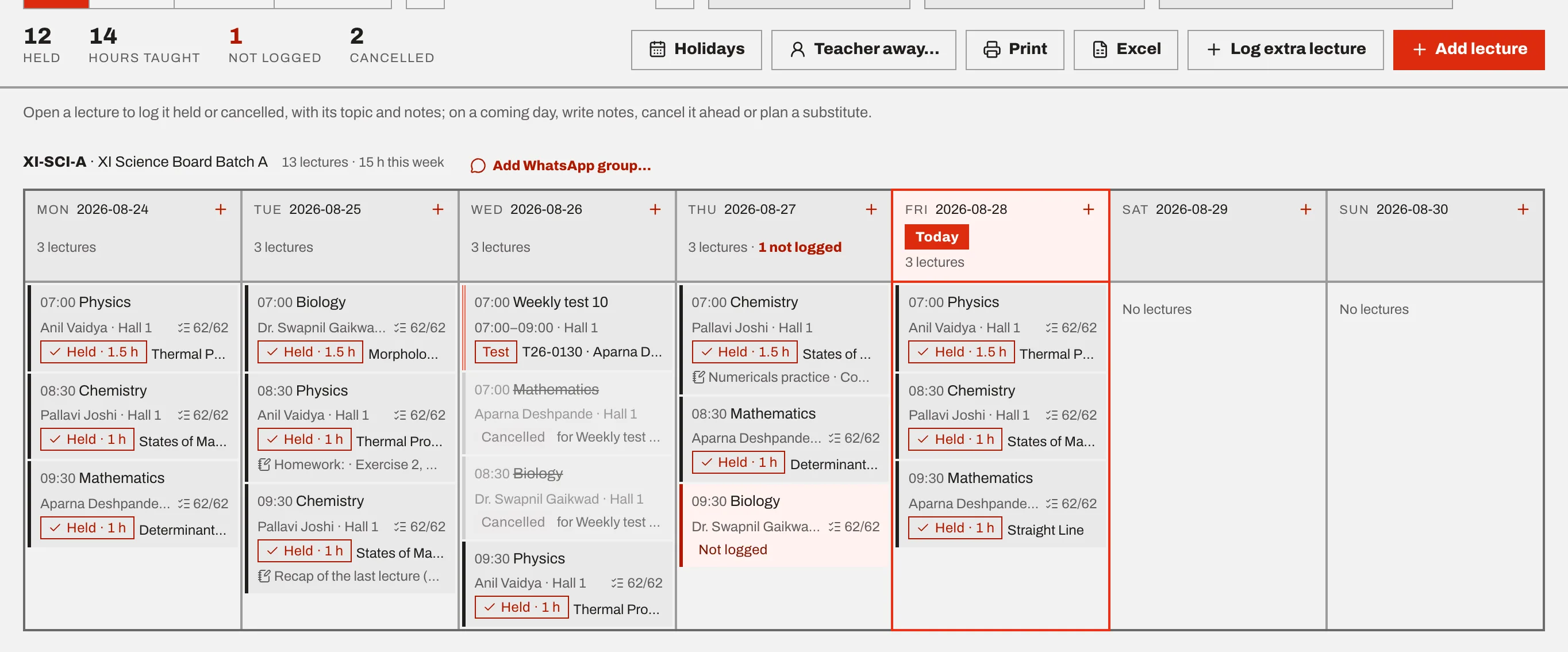
Plan each batch’s week once, with a room and a teacher for every lecture. Then log each lecture as it happens: held or cancelled, its real start and end, its topic and notes. The same page shows the plan and the log.
-
Every lecture logged as it happened
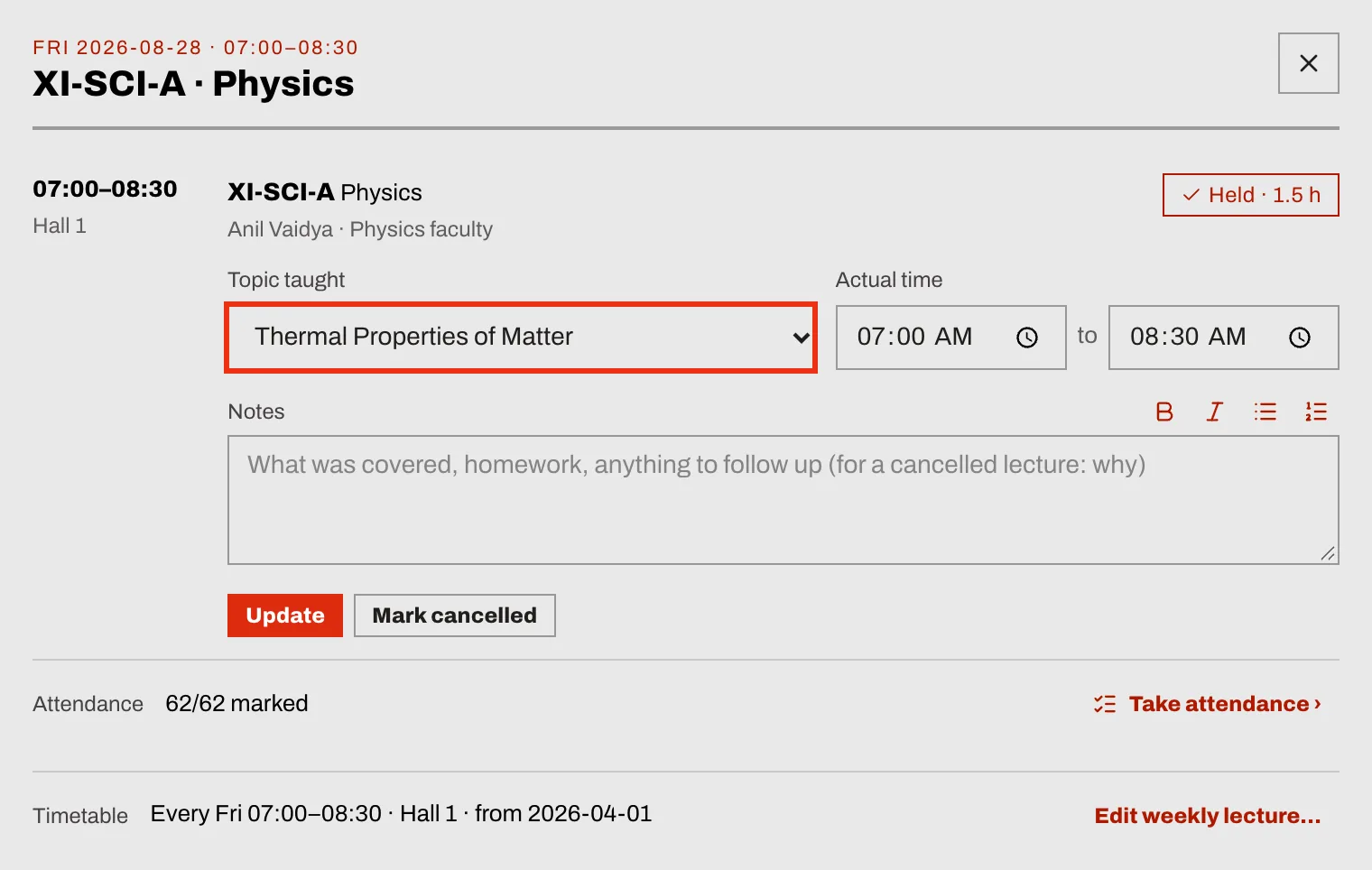
Open a lecture to log it held or cancelled, with the topic taught and its real start and end. The next topic is suggested from the syllabus, and the hours count towards the teacher’s pay and the batch’s coverage.
- Notes, homework included, written ahead too
- Lectures not logged stay listed until they are
- Every change kept in the audit log
-
Clash checks for rooms, teachers and batches
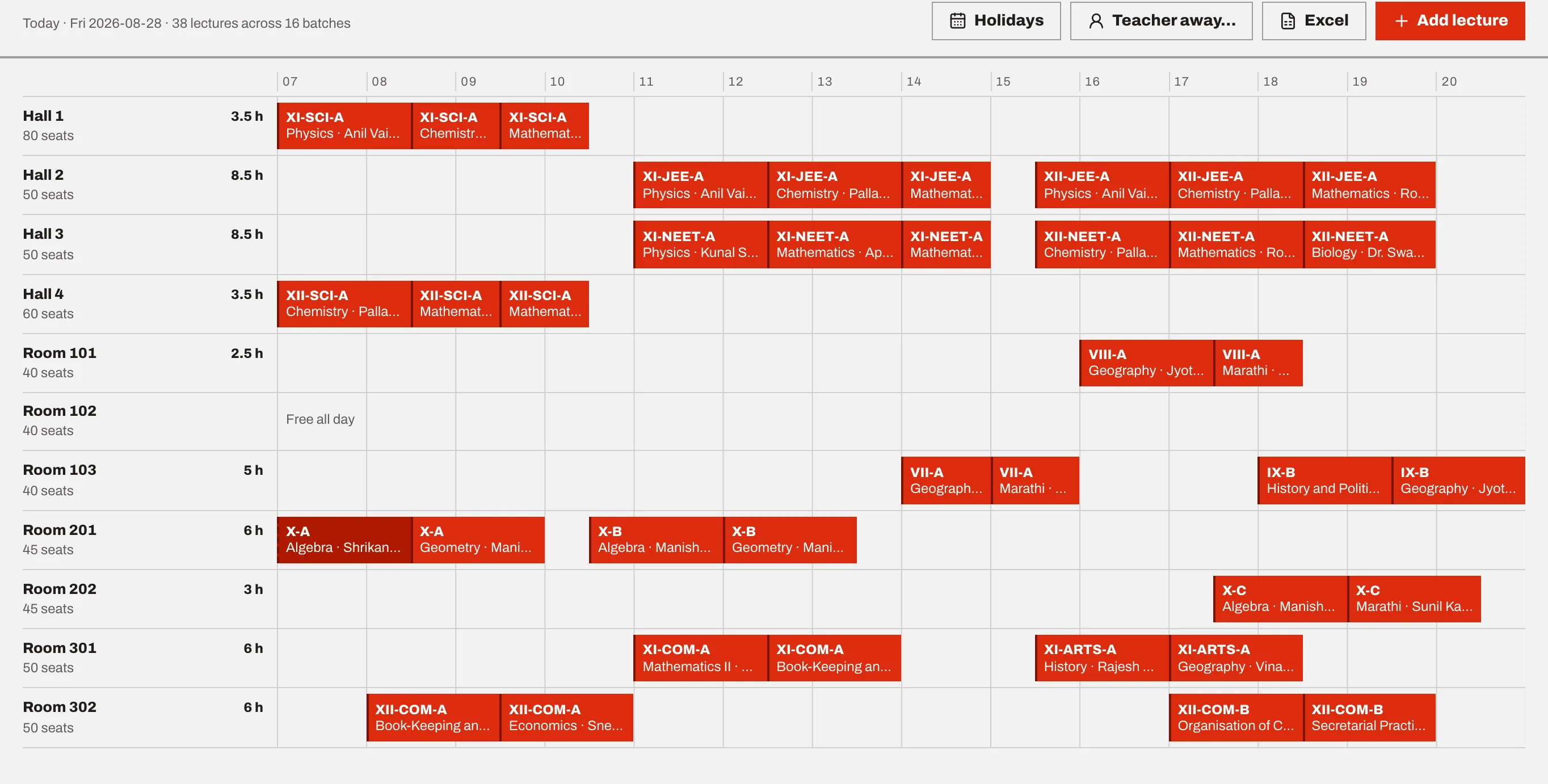
A teacher, a room or a batch can’t be booked twice: a clash is refused when you save, tests and invigilators included. By room and By teacher show the day’s lectures in lanes.
- Rooms with their seats; a batch bigger than its room is said
- Weekly lectures or one-off extra lectures
-
Substitutes, cancellations and moves
Plan a substitute, and the pay, coverage and attendance go to whoever taught. Cancel a coming lecture with a reason, move one lecture once, or take a teacher’s lectures over a date range with Teacher away.
- Shared lectures for a standard’s batches, booked once
- The week typed out for the batch’s WhatsApp group
Also in Timetable & lectures
- Each batch’s week, with its lectures, rooms and teachers
- Weekly lectures from a date, or one-off extra lectures
- Holidays as date ranges, copied from last year
- By room and By teacher views
- Lectures not logged, listed until they are
- A coming lecture cancelled ahead with a reason, and restored
- The week printed, a page per batch
Comes from
See it on a class like yours.
Book a free demo or ask for pricing: tell us about your institute and we’ll call you. The demo runs on a sample Mumbai class, so you see every screen with realistic data.
Prefer to talk? +91 97028 26385 · WhatsApp us · anandgangan@