Features · Attendance & parents
Every lecture marked.
Every absence told.
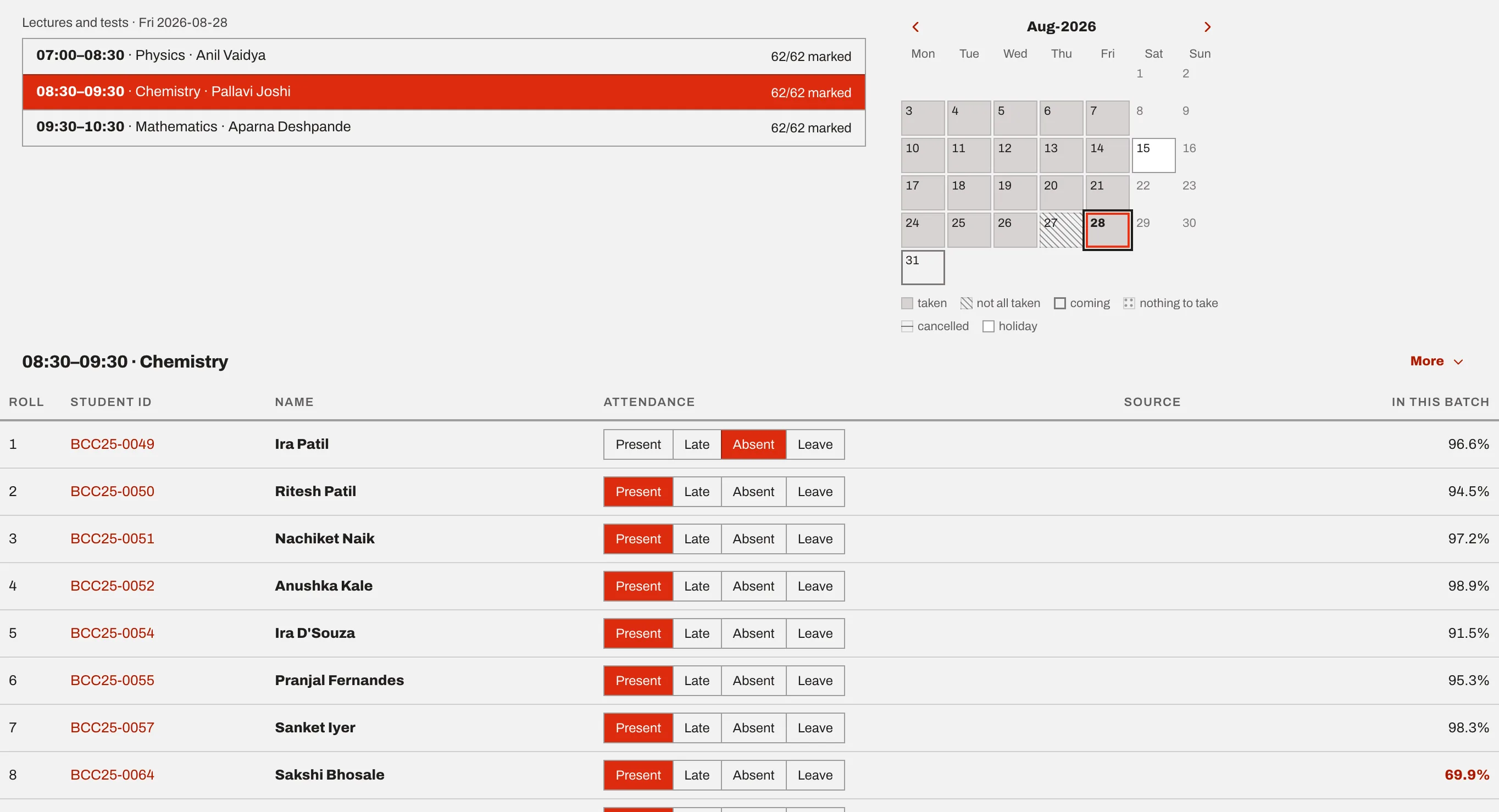
A register for every lecture and every test.
Each lecture and each test has its own register, from the timetable. Mark it on a phone or a laptop, or bring in your biometric machine’s punch file. Parents hear about an absence in one click, and you see who is falling behind.
-
Absences told to parents in one click
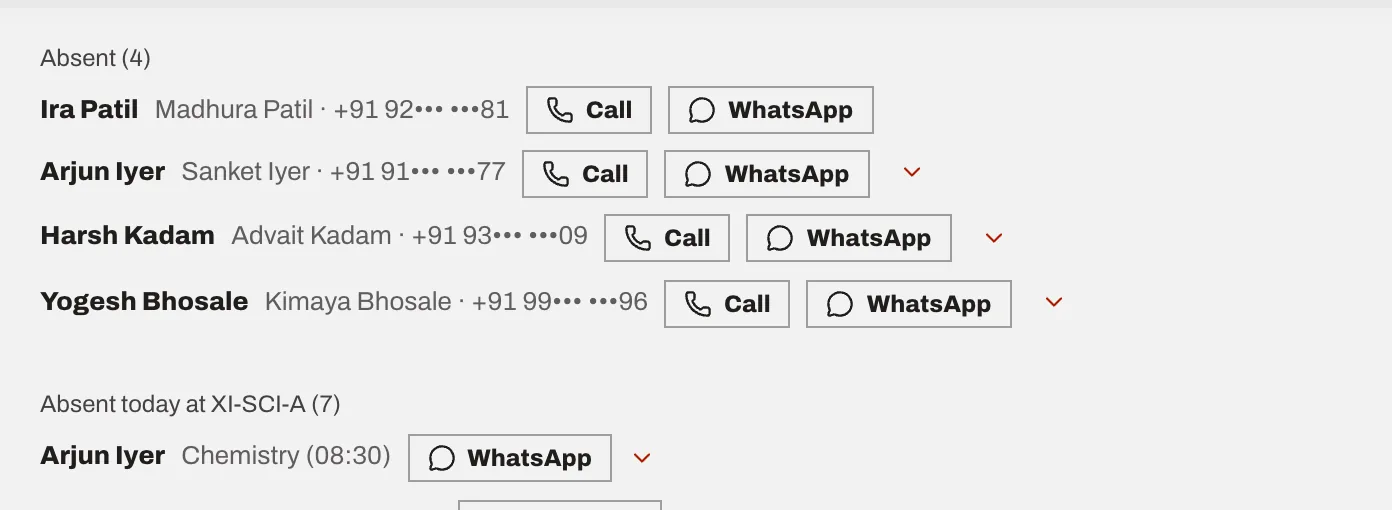
Under a saved register, the absentees are listed with their parent’s name, a Call button and a WhatsApp button. One click opens WhatsApp with the message typed: which lecture, which day. A day with several absences goes as one message.
- From your own WhatsApp: no message credits
- The other parent or the student, a tap away
-
See who is falling behind
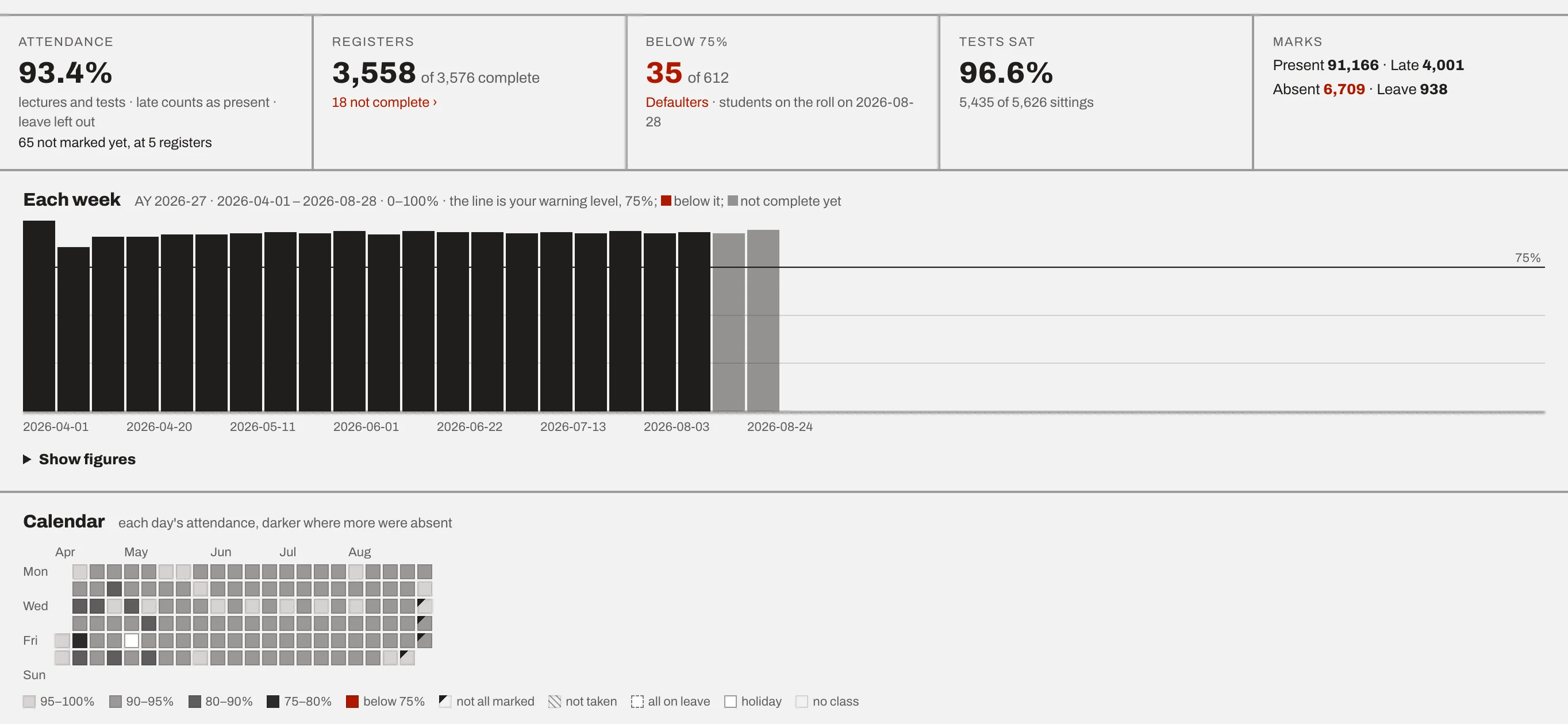
The Overview shows attendance for the year, a month or any dates: a weekly trend against your warning level, a calendar of every day, and attendance by batch, subject, weekday and teacher. Students below 75% are listed with Call and WhatsApp.
- A month’s summary for a parent, in one message
- Each student’s calendar and subject bars, ready to print
-
Every register kept, every change explained
A register taken late or changed later says so on its day: when, by whom and why, with a Changed tag on each changed mark. A banner lists the registers never taken, and the year’s attendance goes to Excel, every mark included.
- The month register, a column for each lecture and test
- A printed register, the month, or a blank roll-call sheet
What a parent receives
- Balaji Coaching ClassesExample
Dear parent, Ira Patil was absent at Physics (XI-SCI-A, 09:00) on Mon 2026-09-28. — Balaji Coaching Classes09:41
Absence
Examples, with sample names. The software types the message; your staff press Send, in your own WhatsApp, so there are no message credits to buy.
Also in Attendance & parents
- The punch file from your biometric machine (eSSL, ZKTeco and others): each punch marks the student at the right lecture, late after the grace minutes
- Present, Late, Absent and Leave; late counts as present
- Each student’s attendance tab: a calendar, each subject and every lecture, ready to print
- Everyone present, or a copy of the previous lecture, in one click
- Attendance Register and Attendance Defaulters reports
Comes from
Feeds
See it on a class like yours.
Book a free demo or ask for pricing: tell us about your institute and we’ll call you. The demo runs on a sample Mumbai class, so you see every screen with realistic data.
Prefer to talk? +91 97028 26385 · WhatsApp us · anandgangan@